
Google review cards for restaurants, salons, barbers, contractors and retail
By Christopher Robinson · Updated · 5 min read
Short answer
Put the card where the customer is happiest and already holding their phone: the check presenter in a restaurant, each station in a salon or barbershop, the final walkthrough for contractors, and the register in retail. Most businesses need one card per place a customer finishes their visit.
How many review cards does a business need?
One card for every spot where a customer finishes their visit and someone can ask. A one-register shop needs one or two; a salon with four stations needs four; a contractor needs one per truck or crew. Spares help — cards walk off, and a second location or door sign is common.
| Business | Where | Typical cards |
|---|---|---|
| Restaurant / café | Check presenter, counter, host stand | 2–5 |
| Salon / barbershop | Every chair or station | 1 per station |
| Contractor / home service | Each truck or crew lead | 1 per crew |
| Retail store | Register, pickup counter | 1–2 |
| Clinic / dentist / gym | Front desk, checkout | 1–2 |
Restaurants and cafés
Present the card with the check or at the counter after payment. Guests have their phone out and a few minutes to spare. Servers can mention it in one line: “If you enjoyed it, a quick Google review helps us — just tap here.”
Salons, barbershops and spas
Give every stylist or barber their own card at their station and ask right after the mirror reveal, when the client is happiest. Stylists can also ask clients to mention their name, which helps them build a personal following.
Contractors and home services
Ask during the final walkthrough when the customer is looking at the finished work. The crew lead hands over the card, the customer taps, and the review is done before the truck leaves. Follow up with the same link in the invoice email.
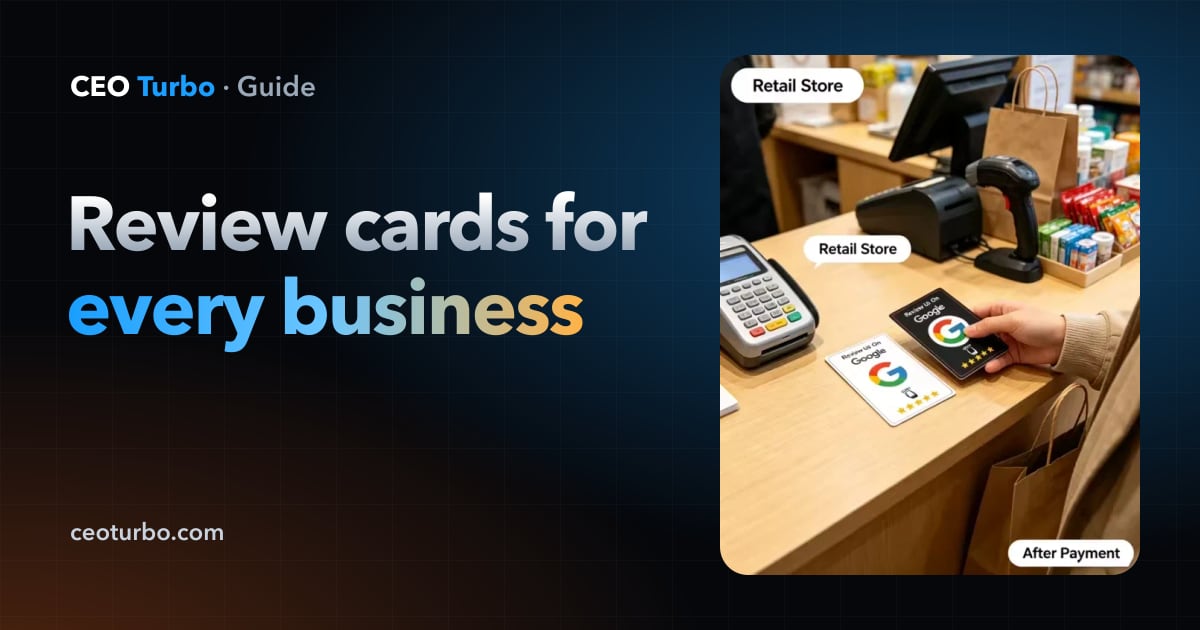
Retail stores, clinics and gyms
Keep the card at the register or front desk where customers pay or check out. A small stand or sticker near the card reminding customers to tap helps, but the biggest lift still comes from staff asking each customer.